Kiosks, apps and phygital experiences
We design the experience, develop the app and build the kiosk in our own workshop. Then we deploy it on the ground and measure participation.
Try the playable demoFormats
What we make
Formats that combine: one kiosk can run a game, capture contacts and hand over to the visitor’s phone.
Bespoke touch kiosks
Structure, screen and wrap: the kiosk is drawn for your campaign and built in our workshop.
Games and contests
Quiz, prize wheel, skill challenge: short mechanics built for passing traffic, with or without prizes.
Lead capture and consent
Short forms and explicit consent, obtained before anything is collected.
Photo booth and sharing
A photo in the campaign’s look, which visitors pick up by QR code or email.
Augmented reality
The product, the mascot or the set steps into the picture, on the kiosk screen or on the phone.
Mobile experiences
A QR code or an NFC tag opens a web app on the visitor’s phone, with nothing to install.
Participation dashboard
Entries, contacts and prizes tracked during the operation, then gathered in the wrap-up report.
Another format?
Tell us your idea: we will draw it with you.
Describe my project
04.1 3D model
The kiosk, from plan to switch-on.
The dimensioned plan of a demo kiosk, then its structure, wrap and electronics, assembled and tested at the workshop, all the way to the switched-on screen: play right on the kiosk.
Demo kiosk · 600 × 400 × 1,900 mm
Reduced motion: the kiosk is shown as still images, and the playable demo stays available in 2D, just below.Your browser can’t display 3D: here is the kiosk as images, and the playable demo in 2D, just below.
- 01
The plan
Game mechanic, visitor journey, screens and kiosk plan, signed off with you. - 02
The structure
Structure and base built in our workshop: the metal frame is welded, node by node. - 03
The wrap
Panels cut on our CNC machines, then painted to the brand’s colour code. - 04
The electronics
Structure, wrap and screen fitting in our workshop: the kiosk is assembled and tried out before it leaves. - 05
Switch-on
The screen comes on: play right on the kiosk. - 06
On site
Delivery, installation and on-site staff, at one venue or on tour. Entries feed the dashboard; the wrap-up report follows the operation.
Rotate the kiosk Drag to turn around the kiosk.
Finger or mouse: drag the tool along the dotted path.


Playable demo
Machine the logo
A MUSK’AD kiosk in demo form. Guide the tool along the four traces of our emblem before time runs out: accuracy and speed make the score.
Machine the logo
Guide the tool along the 4 traces. 30 seconds.
The playable demo needs JavaScript.
Your score
0points
- Machined
- Accuracy
- Time
Demo complete. Your turn.
- Branded wrap
- Touch screen
- NFC tag and QR code
- Structure and base built in our workshop
How to play
- Finger or mouse: drag the tool along the dotted path.
- Keyboard: activate “Play” and focus moves to the kiosk screen; hold → to move forward and ← to move back. Slow down in the curves.
Silent demo: no data is collected.
On a real kiosk, the same mechanic carries your campaign: your visuals, your prizes, your lead capture.
Method
From idea to switch-on
We draw it
- 01
Design
Game mechanic, visitor journey, screens and kiosk plan, signed off with you.
- 02
Develop
The app, its content and its admin interface, tested on the operation’s hardware.
- 01
We build it
- 03
Build
Structure, wrap and screen fitting in our workshop: the kiosk is assembled and tried out before it leaves.
The Workshop division
- 03
We switch it on
- 04
Deploy
Delivery, installation and on-site staff, at one venue or on tour.
- 05
Measure
Entries feed the dashboard; the wrap-up report follows the operation.
- 04
In the field
Sprite
Sprite game kiosks
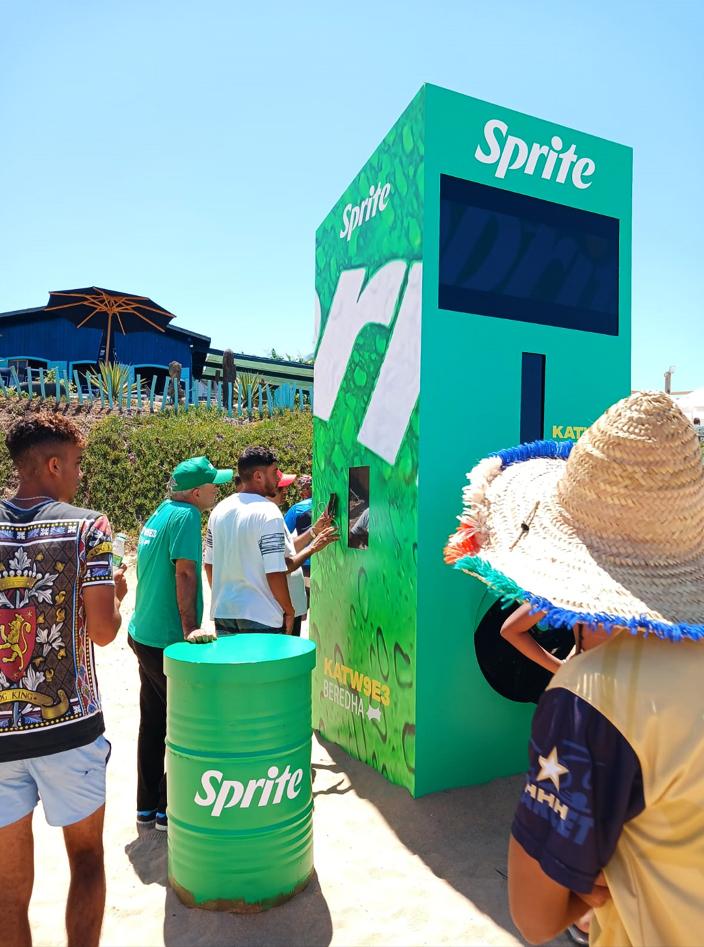
The “Katw9e3 beredha” campaign: touch-screen game kiosks and Sprite fridges, set up in a glazed hall, in a shopping mall and by the sea.
On screen, a prize wheel; alongside, a stocked fridge. In the mall, a circular stand run by two brand ambassadors. One version of the kiosk, in Sprite and Super Brahim colours, was photographed in the workshop before delivery.
View the case study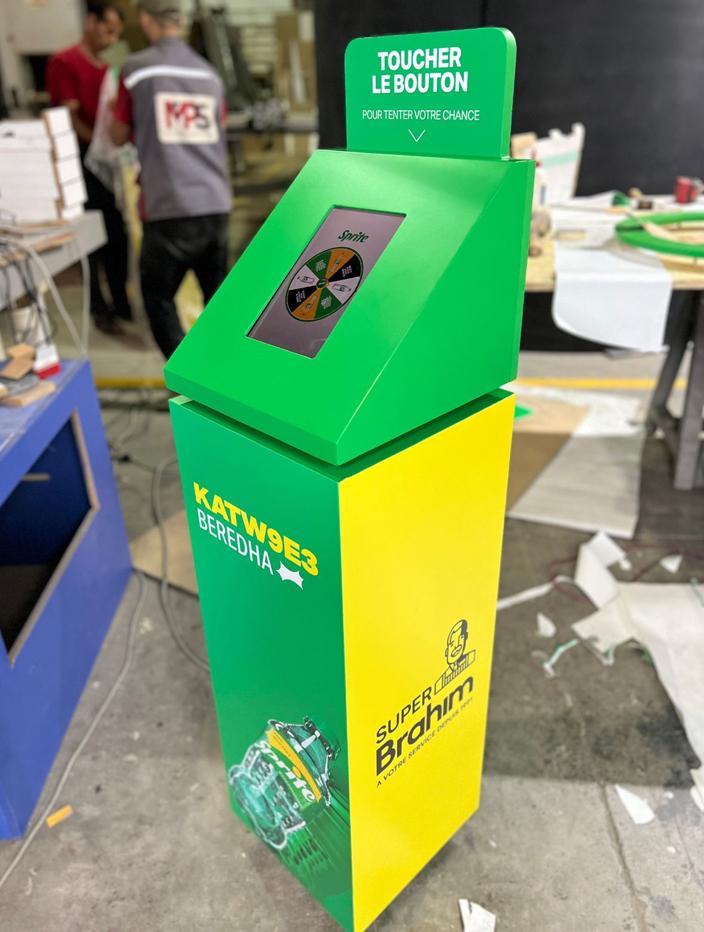
In the workshop 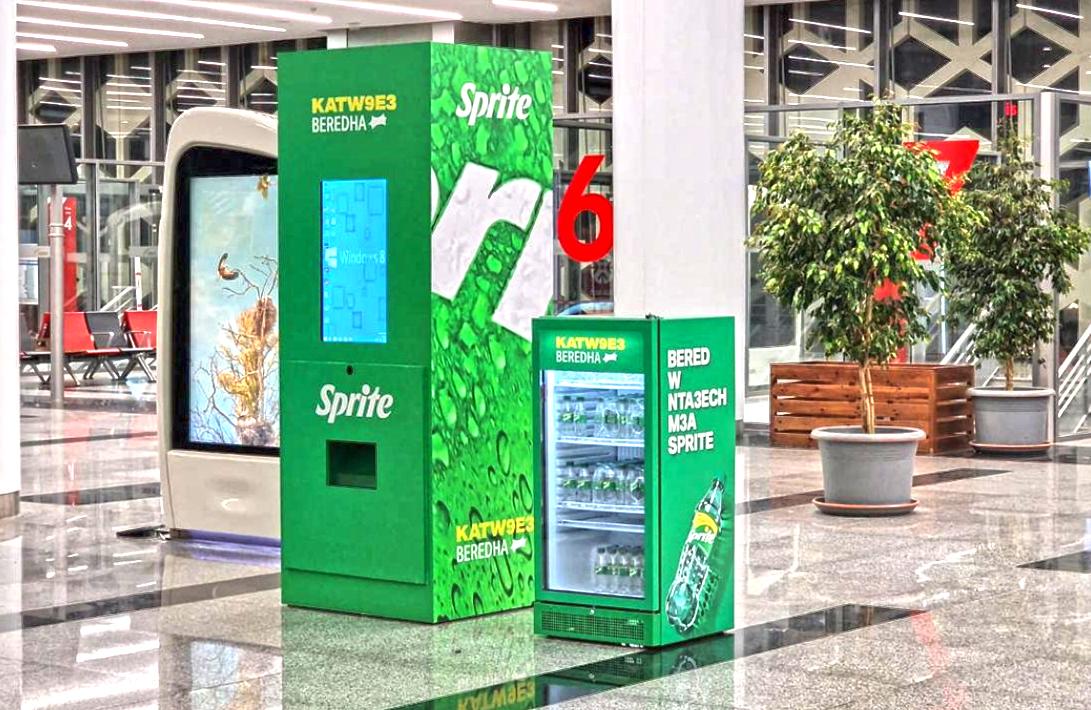
In a hall
We draw it. We build it. We switch it on.
Let’s talk about your set-up
Tell us where, when and what the public should experience: we start from there to propose the mechanic, the app and the kiosk.
Emailcontact@muskad.ma